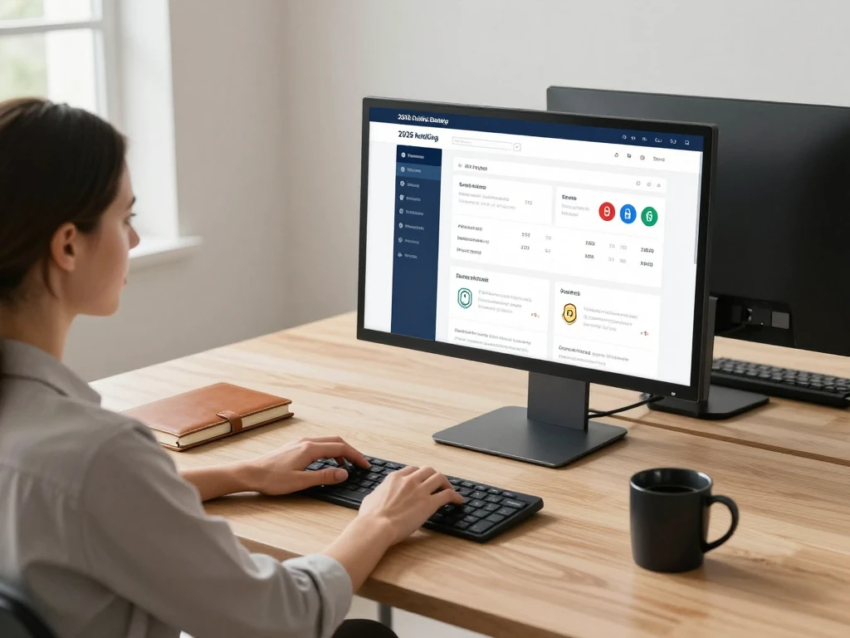
Online banking has changed the way people manage their money. Customers can now open accounts, transfer funds, pay bills, deposit checks, manage cards, and monitor transactions without visiting a traditional bank branch. As digital banking continues to grow in 2026, choosing the right online banking service has become increasingly important.
The best online banking service depends on individual financial needs. Some customers may prioritize low fees, while others may look for high-yield savings accounts, convenient mobile apps, extensive ATM access, strong security, or advanced budgeting tools.
This guide explains the most important features, fees, security considerations, and benefits to consider when comparing online banking services in 2026.
What Are Online Banking Services?
Online banking services allow customers to manage financial accounts through an internet-connected computer, smartphone, or tablet. Banks typically provide access through secure websites and mobile applications.
Common online banking services include:
- Checking account management
- Savings account management
- Money transfers
- Online bill payments
- Mobile check deposits
- Digital statements
- Debit card management
- Account alerts
- Automated payments
- Electronic transfers
- Financial management tools
The exact services available vary by bank, account type, and location.
Why Online Banking Is Popular in 2026
Digital banking has become popular because it provides customers with convenient access to financial services. Instead of traveling to a branch, many everyday banking tasks can be completed through an app or website.
Modern banking applications can also provide real-time notifications, transaction histories, card controls, and other digital tools.
For customers who prefer managing finances digitally, these features can save time and make routine banking easier.
Important Features to Look For
When comparing online banking services, consider more than just the appearance of a mobile application. Several practical features can affect the overall banking experience.
1. User-Friendly Mobile App
A good banking application should make common tasks easy to find and complete.
Important features may include:
- Easy account navigation
- Secure login
- Transaction history
- Money transfers
- Bill payments
- Card controls
- Account alerts
- Mobile check deposits
A well-designed application can make everyday account management more convenient.
2. Low or No Monthly Fees
Fees can significantly affect the cost of maintaining a bank account.
Some online banking accounts may have no monthly maintenance fee, while others may waive fees when customers meet specific requirements.
Before opening an account, review:
- Monthly maintenance fees
- ATM fees
- Overdraft fees
- Transfer fees
- Wire fees
- Foreign transaction fees
- Other service charges
Always check the current fee schedule because fees and account conditions can change.
3. ATM Access
ATM availability is important if you regularly need cash.
Some online banks operate large ATM networks or reimburse certain out-of-network ATM fees. Others may have limited access to physical cash.
Consider the ATM network available in the areas where you live, work, or travel.
4. Competitive Savings Rates
If you are opening a savings account, the interest rate can be an important consideration.
Online banks may sometimes offer competitive savings rates because digital-first institutions can operate with different cost structures than banks with large branch networks.
However, rates can change, so compare the current annual percentage yield and account requirements before making a decision.
5. Strong Security
Security should be one of the most important factors when selecting an online banking service.
Look for features such as:
- Multi-factor authentication
- Biometric login
- Transaction notifications
- Fraud monitoring
- Card locking
- Secure messaging
- Encryption
- Login alerts
Customers should also use strong passwords and avoid sharing verification codes.
Online Banking Fees
Understanding fees is essential before choosing a digital bank.
Monthly Maintenance Fees
Some checking or savings accounts charge monthly maintenance fees. Other accounts may have no monthly fee or provide ways to waive the fee.
ATM Fees
Using an ATM outside a bank’s network may result in a fee. Some banks reimburse qualifying ATM charges, while others do not.
Transfer Fees
Certain transfers may be free, while wire transfers or expedited transactions can involve fees.
Overdraft Fees
Banks have different policies regarding overdrafts. Some may charge fees, while others may decline transactions or provide specific overdraft protection options.
Read the account’s terms carefully to understand what happens when your balance is insufficient.
Online Banking Security
Digital banking provides convenience, but cybersecurity remains an important concern.
Use Multi-Factor Authentication
Multi-factor authentication requires additional verification beyond your password. It can make unauthorized access more difficult if your password is compromised.
Protect Your Password
Use a unique password for your banking account. Avoid using easily guessed information such as birthdays, names, or common words.
A password manager can help create and store strong unique passwords.
Watch for Phishing
Phishing scams can imitate legitimate banks and attempt to trick customers into revealing sensitive information.
Suspicious messages may ask you to:
- Confirm your password
- Provide a verification code
- Click an urgent link
- Update account information
- Send money to another account
Instead of clicking unexpected links, access your bank through its official website or mobile application.
Enable Account Alerts
Account alerts can notify you about transactions, logins, balance changes, and other account activity.
These alerts can help you identify suspicious activity quickly.
Benefits of Online Banking
Online banking offers several advantages compared with relying exclusively on physical branches.
Convenience
Customers can complete many banking tasks from home or while traveling.
24/7 Access
Online banking websites and mobile apps generally allow customers to view their accounts outside traditional branch hours.
However, certain transactions may still depend on processing schedules.
Faster Account Management
Customers can quickly view transactions, transfer money, pay bills, and manage cards without waiting in a branch.
Digital Record Keeping
Electronic statements and transaction histories make it easier to organize financial records.
Better Spending Visibility
Many banking apps categorize transactions or provide spending summaries, helping customers understand their financial activity.
Online Banking for Checking Accounts
A checking account is commonly used for everyday financial activity.
When comparing online checking accounts, consider:
- Monthly fees
- Minimum balance requirements
- ATM availability
- Direct deposit options
- Mobile check deposit
- Transfer capabilities
- Overdraft policies
- Debit card features
If you use your checking account frequently, convenient digital tools and reliable access may be particularly important.
Online Banking for Savings Accounts
Savings accounts are designed to help customers store money for short-term or long-term goals.
When comparing online savings accounts, pay attention to:
- Annual percentage yield
- Monthly fees
- Minimum deposit requirements
- Withdrawal rules
- Transfer options
- Account access
- Deposit insurance eligibility
Interest rates can change over time, so customers should review current rates rather than relying on historical figures.
Online Banking for Businesses
Businesses can also benefit from digital banking services.
Business online banking may include tools for:
- Payroll management
- Vendor payments
- Business transfers
- Deposit management
- Employee access
- Transaction approvals
- Business debit cards
- Account reporting
Businesses should pay particular attention to user permissions and security controls when multiple employees have access to financial accounts.
How to Compare Online Banks
There is no single online bank that is appropriate for every customer. Instead, compare services according to your own requirements.
Step 1: Identify Your Banking Needs
Decide whether you primarily need checking, savings, credit products, business banking, or a combination.
Step 2: Compare Fees
Review the complete fee schedule rather than focusing only on advertised monthly fees.
Step 3: Check ATM Access
If you use cash regularly, make sure the bank offers convenient ATM access.
Step 4: Review Security
Check whether the bank provides multi-factor authentication, transaction alerts, card controls, and fraud monitoring.
Step 5: Compare Digital Features
Look at mobile deposits, transfers, bill payments, budgeting tools, and account management features.
Step 6: Review Customer Support
Check available support channels, including phone, secure messaging, chat, and other customer service options.
Step 7: Read Account Terms
Before opening an account, review eligibility requirements, fees, transaction limits, interest rates, and other conditions.
Online Banking vs Traditional Banking
Online banking and traditional banking each provide different ways to access financial services.
Online banking typically emphasizes digital access, mobile applications, electronic communication, and remote account management.
Traditional banks generally provide both digital banking and physical branches.
The right option depends on what you value in a banking relationship. Customers who frequently need face-to-face service may prefer access to branches, while customers who handle most banking tasks digitally may place greater importance on mobile features and online convenience.
Common Mistakes When Choosing an Online Bank
Customers can make expensive mistakes if they choose an account without carefully reviewing its terms.
Avoid:
- Choosing an account based only on advertising
- Ignoring ATM fees
- Failing to check minimum balance requirements
- Overlooking overdraft policies
- Assuming interest rates are permanent
- Ignoring customer service options
- Sharing banking credentials
- Failing to activate security alerts
Taking time to compare account conditions can help prevent unexpected costs.
Future of Online Banking in 2026 and Beyond
Online banking is expected to continue evolving as financial institutions invest in artificial intelligence, automation, digital identity, fraud detection, and personalized financial tools.
Artificial intelligence may help banks detect unusual transaction patterns and provide automated financial insights. Biometric authentication can also make account access more convenient while adding another layer of identity verification.
Digital payments are also becoming increasingly integrated into everyday financial activity, allowing customers to move money and make purchases through multiple digital channels.
However, cybersecurity will remain a major consideration as banking services become increasingly connected.
Final Thoughts
The best online banking service depends on your financial needs, spending habits, preferred features, and security expectations. When comparing online banks in 2026, look beyond promotional offers and examine fees, ATM access, savings rates, mobile features, customer support, account requirements, and security protections.
A reliable online banking service should provide convenient account management while giving customers clear information about costs and security. By comparing these factors carefully, you can find an online banking option that fits your everyday financial needs.