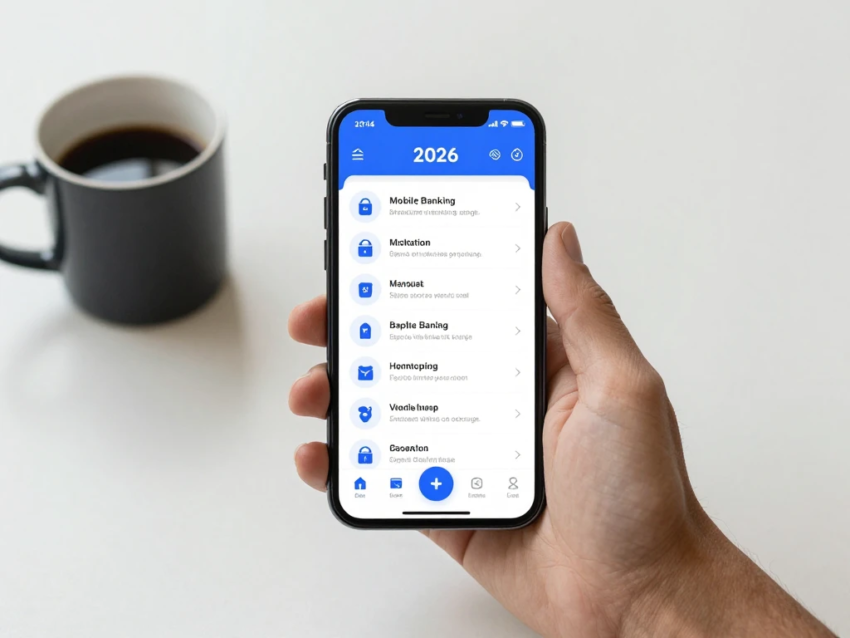
Mobile banking has become one of the most convenient ways to manage money. With a smartphone and a secure banking application, customers can check balances, transfer funds, pay bills, manage debit cards, deposit checks, and monitor transactions without visiting a bank branch.
In 2026, mobile banking is more advanced than traditional mobile account access. Modern banking applications combine financial management tools, security features, digital payments, automated notifications, and personalized services in a single platform.
Whether you are new to mobile banking or want to understand the latest digital banking features, this guide explains how mobile banking works, its benefits, security practices, common features, and future trends.
What Is Mobile Banking?
Mobile banking is a financial service that allows customers to manage their bank accounts using a smartphone or tablet.
Banks typically provide mobile banking through dedicated applications available for supported mobile devices. Some institutions may also provide mobile-friendly websites.
Using a mobile banking app, customers may be able to:
- Check account balances
- View transaction history
- Transfer money
- Pay bills
- Deposit checks
- Manage debit cards
- Receive account alerts
- Download statements
- Send payments
- Manage account settings
The exact features depend on the bank, account type, and country.
How Does Mobile Banking Work?
Mobile banking connects a customer’s smartphone to the bank’s digital systems through a secure internet connection.
The general process works like this:
- Download the official banking application.
- Open the application and enter your login information.
- Complete any required identity verification.
- Access the account dashboard.
- Select the banking service you need.
- Complete the transaction.
- Receive confirmation or notification when applicable.
The banking application communicates with the financial institution’s systems to retrieve account information and process eligible transactions.
Key Mobile Banking Features in 2026
Mobile banking applications have developed significantly. Many apps now provide a wide range of financial tools.
1. Mobile Account Access
Customers can view account information directly from their smartphones.
The dashboard may show:
- Current balances
- Available balances
- Recent transactions
- Pending transactions
- Linked accounts
- Upcoming payments
This provides quick access to important financial information.
2. Money Transfers
Mobile banking apps allow customers to transfer money between eligible accounts.
Depending on the bank and payment system, customers may be able to transfer funds:
- Between their own accounts
- To another bank account
- To another person
- For scheduled payments
- Through supported digital payment services
Always verify recipient information before confirming a transfer.
3. Mobile Bill Payments
Many banking apps allow customers to pay bills directly from their smartphones.
Users may be able to schedule payments for:
- Utilities
- Credit cards
- Loans
- Insurance
- Subscriptions
- Other eligible bills
Scheduled payments can help customers manage recurring expenses.
4. Mobile Check Deposit
Some banks offer mobile check deposit functionality.
Customers can usually photograph an eligible check through the banking application and submit the images for processing.
Deposit limits, eligibility rules, and availability periods vary by financial institution.
5. Debit Card Management
Mobile banking can make card management easier.
Depending on the bank, customers may be able to:
- Lock or unlock a card
- Report a lost card
- Request a replacement
- View card transactions
- Receive purchase notifications
- Manage certain card settings
These tools can be especially useful if a card is misplaced.
6. Account Alerts
Mobile banking apps can send notifications about account activity.
Alerts may be available for:
- Purchases
- Withdrawals
- Deposits
- Transfers
- Login attempts
- Low balances
- Password changes
Notifications can help customers monitor their accounts more closely.
Benefits of Mobile Banking
Mobile banking offers several advantages for modern customers.
Convenience
One of the biggest benefits is convenience. Many everyday banking tasks can be completed from almost anywhere using a smartphone.
Customers do not necessarily need to travel to a branch for routine transactions.
24/7 Access
Mobile banking applications generally provide account access outside traditional branch hours.
However, some transactions may have processing schedules or temporary service interruptions.
Faster Account Management
Checking balances, reviewing transactions, and managing cards can take only a few moments.
Easy Transaction Monitoring
Mobile notifications can provide quick information about account activity.
This makes it easier to notice unfamiliar transactions.
Reduced Paperwork
Electronic statements and digital notifications reduce the need for paper records.
Better Financial Organization
Some banking apps provide spending summaries, transaction categories, budgeting tools, and other financial management features.
Mobile Banking Security
Security is one of the most important parts of mobile banking.
Banks use several technologies to protect customer accounts and transactions.
Multi-Factor Authentication
Multi-factor authentication adds an additional verification step beyond a password.
Depending on the bank, customers may use:
- One-time codes
- Authentication apps
- Security keys
- Biometric verification
- Device verification
Biometric Authentication
Modern smartphones may support fingerprint or facial recognition.
When supported by the banking application, biometric authentication can provide a convenient way to verify identity.
Encryption
Banks use security technologies to protect information transmitted between applications and their systems.
Fraud Monitoring
Financial institutions may monitor transactions for unusual activity that could indicate potential fraud.
How to Stay Safe With Mobile Banking
Customers should also take steps to protect their accounts.
Download Official Banking Apps
Only download banking applications from trusted official app stores and verify that the application belongs to the correct financial institution.
Keep Your Smartphone Updated
Install operating system and application updates regularly.
Updates can include important security improvements.
Use a Strong Device Lock
Protect your smartphone with a PIN, password, fingerprint, or facial recognition where available.
Never Share Verification Codes
Never give one-time verification codes or banking passwords to unexpected callers or message senders.
Avoid Suspicious Links
Scammers may send fake messages pretending to come from banks.
Instead of clicking an unexpected link, open the official banking app directly.
Avoid Unsecured Networks
Be careful when performing sensitive financial transactions on unfamiliar public Wi-Fi networks.
Mobile Banking Fees
The mobile banking application itself may be free, but certain banking services can involve fees.
Possible charges include:
- ATM fees
- Transfer fees
- Wire transfer fees
- Overdraft fees
- Foreign transaction fees
- Account maintenance fees
- Expedited payment fees
Fees depend on the financial institution and account type.
Always review current account terms and fee schedules.
Mobile Banking vs Branch Banking
Mobile banking provides digital access to financial services, while branch banking provides physical locations for in-person assistance.
Mobile banking is useful for:
- Quick balance checks
- Digital transfers
- Bill payments
- Account alerts
- Card management
- Mobile deposits
Branch banking can be useful for:
- Face-to-face assistance
- Certain cash transactions
- Complex account issues
- Services requiring physical verification
Many customers use both mobile banking and branch services.
Mobile Banking vs Online Banking
Mobile banking and online banking are closely related, but they are not exactly the same.
Online banking traditionally refers to accessing accounts through a bank’s website using a computer or browser.
Mobile banking primarily refers to using a smartphone or tablet application.
Both can provide services such as:
- Balance checking
- Transfers
- Bill payments
- Statements
- Account management
Mobile banking is designed specifically for smaller touchscreen devices and often includes features such as biometric login and push notifications.
Mobile Banking for Businesses
Mobile banking is also useful for business owners and employees.
Business banking applications may allow authorized users to:
- Check business balances
- Review transactions
- Approve payments
- Transfer funds
- Manage business cards
- Monitor deposits
- Receive account alerts
Businesses should carefully manage employee permissions and authentication settings.
Common Mobile Banking Mistakes
Although mobile banking is convenient, customers should avoid common mistakes.
Using Weak Passwords
Weak or reused passwords can increase account security risks.
Ignoring Notifications
Ignoring unusual transaction alerts can delay the discovery of unauthorized activity.
Installing Unverified Apps
Only use official banking applications from trusted sources.
Sharing Login Information
Never share passwords, PINs, or verification codes with others.
Using an Unprotected Phone
A smartphone without a secure screen lock can expose financial information if it is lost or stolen.
Future of Mobile Banking
Mobile banking is expected to continue evolving as financial institutions adopt new technologies.
Artificial intelligence can support fraud detection, customer service, financial insights, and personalized banking tools.
Biometric authentication may become more widely integrated into account access and transaction verification.
Digital payments are also becoming more closely connected with banking applications, giving customers more ways to send and receive money through mobile devices.
Financial institutions will continue to focus on cybersecurity as criminals develop new methods of digital fraud.
Tips for Using Mobile Banking Effectively
To make mobile banking safer and more useful:
- Download only official banking applications.
- Use a unique and strong password.
- Enable multi-factor authentication.
- Use biometric authentication when appropriate.
- Turn on transaction notifications.
- Keep your smartphone updated.
- Protect your phone with a secure screen lock.
- Avoid suspicious links.
- Review account activity regularly.
- Contact your bank quickly if you notice unusual transactions.
Final Thoughts
Mobile banking has become an important part of modern financial management. In 2026, customers can use smartphones to check balances, transfer money, pay bills, deposit checks, manage cards, receive alerts, and monitor financial activity.
The biggest advantages of mobile banking include convenience, accessibility, fast account management, digital notifications, and easy access to financial information.
However, security should always remain a priority. Using official banking applications, strong authentication, updated devices, secure passwords, and transaction alerts can help protect your account.
As mobile technology and digital banking continue to evolve, mobile banking is likely to become an even more important part of everyday financial services.