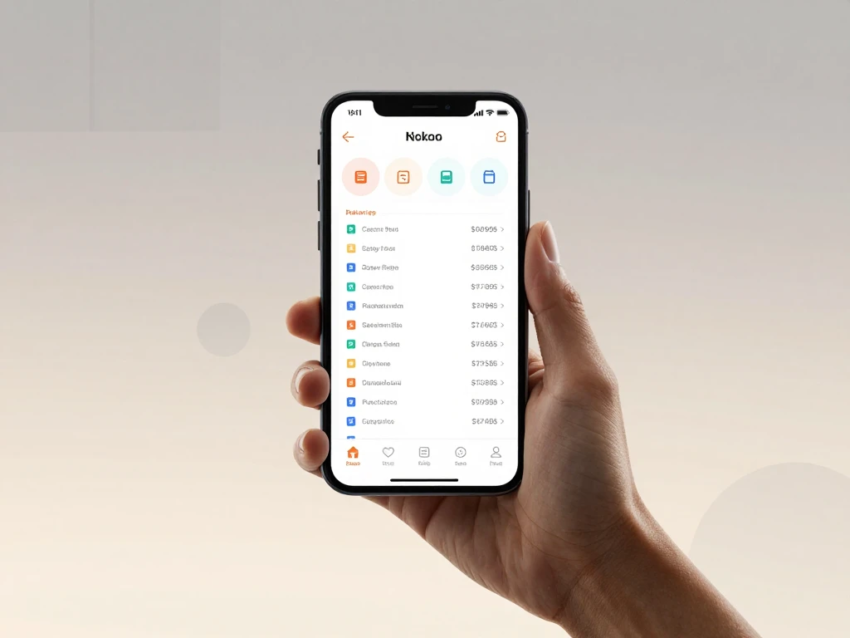
Mobile banking has transformed the way people manage their finances. Instead of visiting a physical bank branch for routine transactions, customers can use a smartphone to check balances, transfer money, pay bills, deposit checks, and monitor account activity.
As smartphones and digital financial services continue to evolve, mobile banking has become an important part of modern banking. In 2026, banking applications offer a wide range of features designed to make financial management faster, more convenient, and more accessible.
Understanding how mobile banking works can help customers use these services effectively while protecting their financial information.
What Is Mobile Banking?
Mobile banking is a digital banking service that allows customers to access and manage eligible financial accounts using a smartphone or tablet.
Most financial institutions provide mobile banking through an official application. Some also offer mobile-friendly websites.
Depending on the bank, mobile banking may allow customers to:
- Check account balances
- View transaction history
- Transfer money
- Pay bills
- Deposit checks
- Manage debit cards
- Receive account notifications
- Download statements
- Manage account settings
- Contact customer support
The available features depend on the financial institution and the type of account.
How Does Mobile Banking Work?
Mobile banking works by connecting a customer’s smartphone to the financial institution’s digital banking systems.
The basic process is:
- Download the official banking application.
- Open the app on your smartphone.
- Enter your login credentials.
- Complete additional verification if required.
- Access your account dashboard.
- Select the desired banking service.
- Confirm the transaction when necessary.
- Receive a confirmation or notification.
The application communicates securely with the bank’s systems to retrieve account information and process transactions.
Setting Up Mobile Banking
Before using mobile banking, customers generally need an eligible bank account.
The setup process usually involves downloading the bank’s official application from a trusted app store.
You may then need to:
- Enter your existing online banking credentials
- Create a username and password
- Verify your identity
- Register your device
- Set up multi-factor authentication
- Enable biometric login if supported
The exact setup process varies by financial institution.
Mobile Banking Login
Security begins with the login process.
Depending on the bank and device, customers may use:
- Username and password
- PIN
- Fingerprint
- Facial recognition
- One-time verification code
- Device authentication
Many banking applications allow customers to use biometric authentication after completing an initial secure setup.
Mobile Banking Dashboard
After logging in, customers typically see a dashboard containing important account information.
It may display:
- Checking account balance
- Savings balance
- Recent transactions
- Pending transactions
- Credit card information
- Upcoming payments
- Account alerts
The dashboard gives customers a quick overview of their financial activity.
Checking Your Balance
Checking an account balance is one of the most common mobile banking activities.
Instead of visiting a branch or calling customer service, customers can open the banking application and view their available information.
Depending on the bank, the app may show both current and available balances.
Customers should understand that pending transactions may affect the amount available for spending.
Viewing Transaction History
Mobile banking applications generally allow customers to view account activity.
Transaction histories may include:
- Purchases
- Deposits
- Withdrawals
- Transfers
- Payments
- Fees
- Refunds
Regularly reviewing transactions can help customers track spending and identify unfamiliar activity.
How Mobile Money Transfers Work
Mobile banking allows customers to transfer money electronically.
Transfers may include:
- Transfers between personal accounts
- Transfers to another bank
- Payments to another person
- Scheduled transfers
- Other supported digital payments
Before completing a transfer, carefully verify the recipient’s information.
Processing times vary depending on the payment method and financial institution.
Paying Bills Through Mobile Banking
Many banking applications include bill payment features.
Customers may be able to pay:
- Utility bills
- Credit card balances
- Loan payments
- Insurance bills
- Subscription services
- Other eligible bills
Some applications allow customers to schedule recurring payments.
Automatic payments can be convenient, but customers should make sure sufficient funds are available.
Mobile Check Deposit
Some financial institutions offer mobile check deposits.
The typical process involves:
- Open the banking app.
- Select the mobile deposit feature.
- Enter the check amount.
- Photograph the front of the check.
- Photograph the back according to the bank’s instructions.
- Submit the deposit.
- Wait for processing.
Banks may impose limits on deposit amounts and may place holds before funds become available.
Managing Debit Cards
Mobile banking applications can provide convenient card-management features.
Depending on the bank, customers may be able to:
- Lock a card
- Unlock a card
- Report a lost card
- Request a replacement
- Review purchases
- Receive card alerts
- Manage certain card settings
These tools can be useful if a customer temporarily misplaces a debit card.
Mobile Banking Notifications
Push notifications can provide real-time or near-real-time information about account activity.
Notifications may cover:
- Purchases
- Deposits
- Withdrawals
- Transfers
- Login attempts
- Password changes
- Low balances
Account alerts can help customers identify suspicious activity more quickly.
Mobile Banking Security
Security is a critical part of mobile banking.
Banks use several technologies to protect customers.
Encryption
Encryption helps protect information exchanged between the mobile application and the bank’s systems.
Multi-Factor Authentication
Multi-factor authentication requires additional verification beyond a password.
Biometric Authentication
Fingerprint and facial recognition can provide an additional way to verify identity on compatible devices.
Fraud Monitoring
Financial institutions may monitor account activity for unusual transaction patterns.
How Customers Can Protect Mobile Banking Accounts
Customers should take additional steps to protect their financial information.
Use a Strong Password
Use a unique password that is not shared with other websites.
Enable Multi-Factor Authentication
If available, activate multi-factor authentication for additional account protection.
Protect Your Smartphone
Use a secure screen lock, such as a strong PIN, password, fingerprint, or facial recognition.
Keep Apps Updated
Install updates for your banking application and smartphone operating system.
Avoid Suspicious Messages
Do not click unexpected banking links in emails or text messages.
Instead, open your official banking application directly.
Never Share Verification Codes
Never provide one-time security codes to unexpected callers or message senders.
Mobile Banking Fees
Using a mobile banking application may not involve a separate app fee, but individual banking services can have charges.
Potential fees include:
- ATM fees
- Transfer fees
- Wire fees
- Overdraft fees
- Foreign transaction fees
- Account maintenance fees
Fee structures vary by bank and account.
Review the current account terms before using a service.
Mobile Banking vs Online Banking
Mobile banking and online banking are closely connected.
Online banking generally refers to accessing financial accounts through a bank’s website using a computer or browser.
Mobile banking focuses on smartphone and tablet applications.
Both services may allow customers to:
- View balances
- Transfer money
- Pay bills
- Review transactions
- Download statements
Mobile banking adds smartphone-specific features such as push notifications, biometric authentication, and mobile check deposits.
Mobile Banking vs Traditional Branch Banking
Mobile banking provides remote digital access, while branch banking provides physical locations for face-to-face assistance.
Mobile banking is particularly useful for routine transactions.
Physical branches may be helpful for:
- Complex account questions
- Certain cash transactions
- In-person financial assistance
- Services that require physical verification
Many customers use a combination of digital and branch banking.
Benefits of Mobile Banking
Mobile banking offers several practical advantages.
Convenience
Customers can manage many financial tasks directly from their smartphones.
Accessibility
Banking information can generally be accessed outside traditional branch hours.
Faster Account Management
Customers can check balances, review transactions, and manage cards quickly.
Digital Record Keeping
Electronic statements and transaction histories can make financial records easier to manage.
Real-Time Alerts
Notifications can help customers stay informed about account activity.
Potential Limitations
Mobile banking also has limitations.
A smartphone and internet connection are generally required for most mobile banking services.
Technical issues, application outages, device problems, or maintenance can temporarily affect access.
Customers who prefer face-to-face assistance may also find mobile-only banking less suitable.
Mobile Banking for Businesses
Business owners can use mobile banking to monitor and manage company accounts.
Depending on the financial institution, business apps may provide:
- Account monitoring
- Fund transfers
- Payment approvals
- Business card management
- Deposit tracking
- Transaction alerts
Businesses should use appropriate employee permissions and authentication controls when multiple people access financial accounts.
Future of Mobile Banking
Mobile banking is expected to continue developing in the coming years.
Artificial intelligence may improve fraud detection, customer support, spending insights, and personalized financial services.
Biometric authentication may become increasingly common as smartphones develop more advanced security capabilities.
Digital payment systems are also becoming more closely integrated with banking applications.
At the same time, financial institutions will need to continue strengthening cybersecurity as digital financial services expand.
Tips for Using Mobile Banking Safely
Follow these basic practices:
- Download only official banking applications.
- Use strong and unique passwords.
- Enable multi-factor authentication.
- Protect your smartphone with a secure screen lock.
- Keep your operating system and banking app updated.
- Turn on transaction alerts.
- Avoid suspicious links.
- Never share verification codes.
- Review transactions regularly.
- Contact your bank through official channels if something looks suspicious.
Final Thoughts
Mobile banking works by securely connecting a customer’s smartphone with the financial institution’s digital systems. Through a mobile application, customers can perform many everyday banking tasks, including checking balances, transferring money, paying bills, depositing checks, managing cards, and monitoring transactions.
In 2026, mobile banking offers more features and security options than ever before. However, customers should still take responsibility for protecting their devices, passwords, and personal information.
By using official banking applications, enabling multi-factor authentication, keeping devices updated, monitoring transactions, and avoiding suspicious messages, customers can make mobile banking a convenient and safer part of their financial routine.